Are you also struggling to connect MCP Clients to your Dataverse MCP? Try this


So I really love the Dataverse MCP Server for when I am building Agentic solutions. It works really well within Copilot Studio Agents if you give it a bit of love and guidance. I am sure there is a blog post in there to talk about that but recently I have been looking at the really exciting Copilot Cowork, which recently added support for custom skills and MCP via its Plugins architecture.

Have a read of these articles if you want to find out more about Copilot Cowork Plugins.
Manage plugins for Copilot Cowork (Frontier) | Microsoft Learn

I am looking at how we can use Dataverse MCP from Cowork and whilst I am not there yet, I have been trying to get it to work via Github Copilot and Visual Studio Code. We have a number of different tenants at iThink 365, we have a dev tenant and a production tenant. Each of those tenants have quite a few different Power Platform environments.

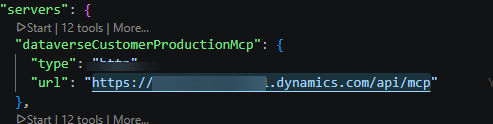
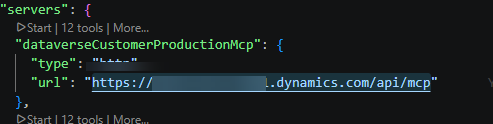
So, I set up Visual Studio Code with a mcp.json file within the .vscode folder, the contents of the file were this.

The URL is basically your Dynamics Environment URL with /api/mcp appended to the end.
I followed the advice from this Microsoft Learn article “Configure the Dataverse model context protocol (MCP) server – Power Apps | Microsoft Learn” but ended up getting this error every time.

2026-05-07 19:24:02.901 [info] Received 403 status with Authorization header, retrying with new auth registration. Error details: {“error”:{“code”:”403″,”message”:”The application ‘aebc6443-996d-45c2-90f0-388ff96faa56’ is not authorized to access MCP. For details on approved clients and instructions to enable additional applications, see: https://aka.ms/configuremcpclientlist”}}

The frustrating thing was that I had enabled this application.
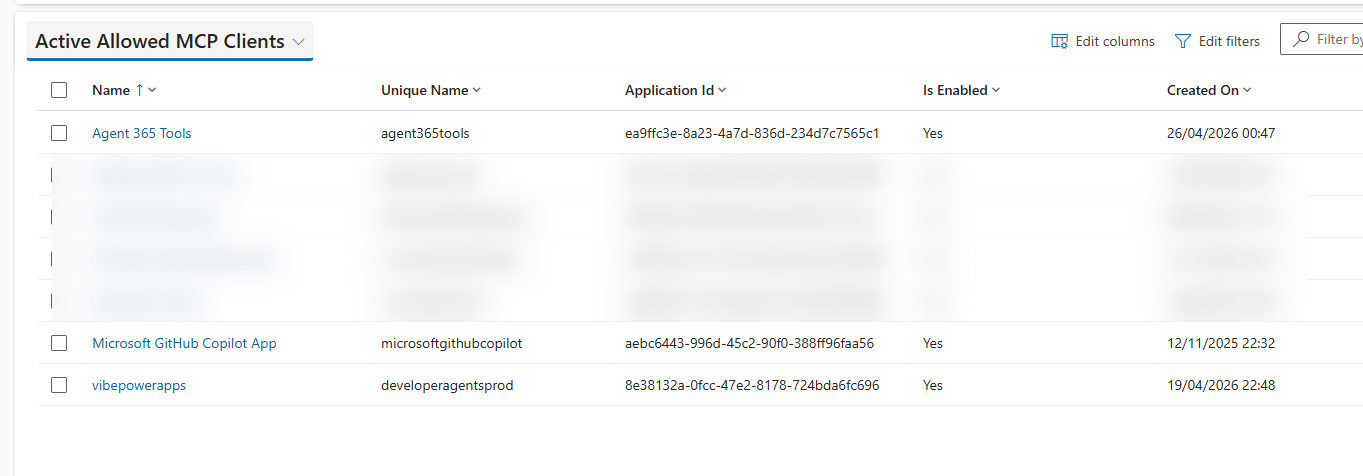
However, whilst I got it working against our Dev Tenant and Dev Environment, I could not get it working with one of our Production environments. After a lot of back and forth, I realised that I had enabled both the production Dataverse MCP Server and Preview Dataverse MCP Servers.
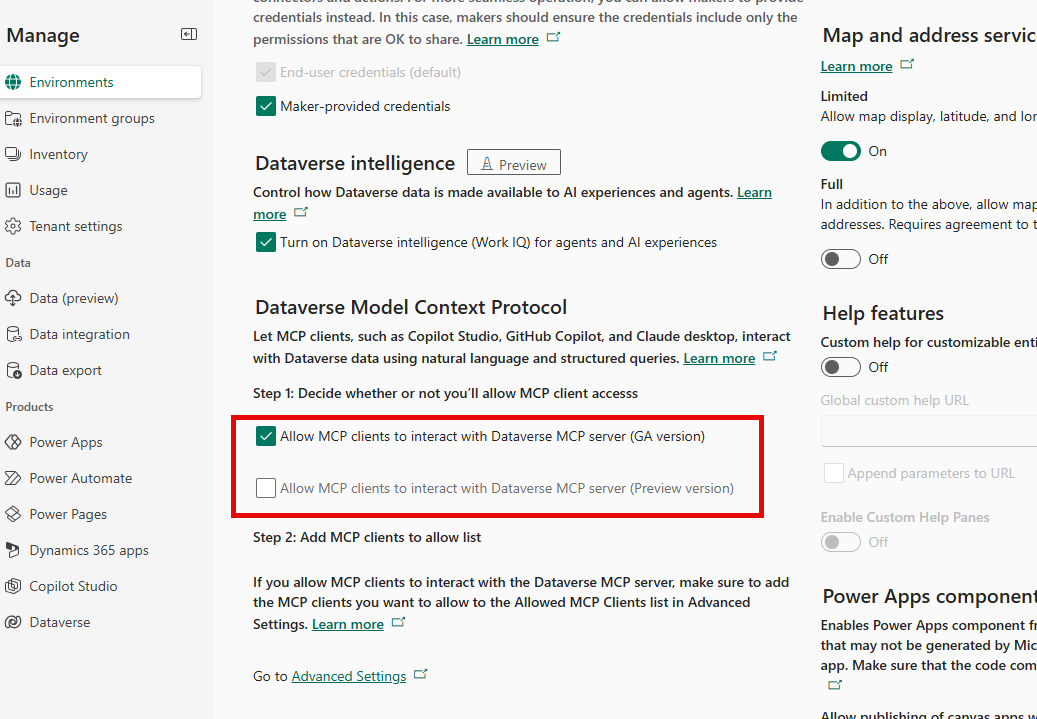
It turns out that currently, if you have both enabled, then you cannot access the Dataverse MCP Server.

Once I had removed the preview Dataverse MCP server, everything kicked into gear, and I could see the Dataverse tools from Visual Studio Code.
Now, I want to get Copilot Cowork to connect with my Dataverse MCP Server, hopefully that blog post won’t be too far away.

An image of a confused AI bot with a cloud and error state which says session errored. Agent does not know what is happening as it has lost its state.

Errors with Copilot Studio and MCP? – Are you Stateless?


Introduction

As I have been building and delving into MCP Servers and integrating them with Microsoft 365 Copilot, I have uncovered a few more tweaks, tricks and tips and wanted to highlight a workaround for Copilot Agents built on Copilot Studio.

At the moment, there seems to be an issue with MCP servers that are holding on to state or stateful. Each time your Copilot Agent interacts with an MCP Server that holds state it creates a session ID and uses that session ID to manage interactions with the MCP Server.

I have seen issues with my custom-built MCP Servers where the session ID expires, and then the Copilot Agent is unable to interact with the MCP Server anymore. I am going to be delving more into this because I think it might be down to the fact that I need to hold onto the session ID within the MCP Server via some persistence layer, as my MCP Servers are running on serverless platforms, which are no doubt shutting down when they are not being used.

The quick workaround is to move to building stateless MCP Servers.

So, in the meantime, if you are building MCP Servers which you want to use with Copilot Studi,o I would suggest that you build them in a stateless way.

For clarity, you are seeing an example of the problem when you see errors appear like this on the backend when debugging the Copilot Studio Agent.

{

    “error”: {

        “code”: -32001,

        “message”: “Session not found”

    },

    “id”: “”,

    “jsonrpc”: “2.0”

}

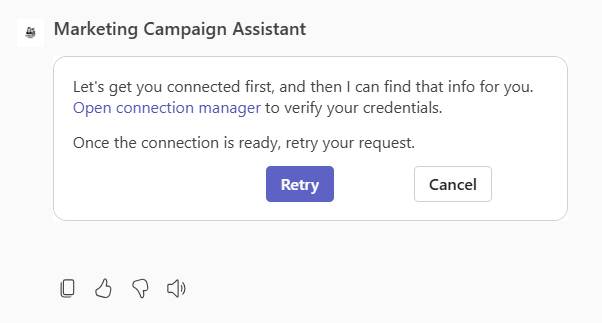
The end user will likely see something like this:

Not a great experience, and the cause of the problem is not easily visible to the end user or the support person working to fix this.

As I mentioned in a previous blog post, https://simondoy.com/2025/08/29/my-adventures-in-building-and-understanding-mcp-for-microsoft-365-copilot/, I am building MCP Servers using the .NET MCP SDK and therefore, I will show you how to build your MCP Server without state. It’s fortunately really simple.

Simply change how you are configuring your HTTP transport options for your MCP Server.

That is right, the WithHttpTransport function has an override where you can pass in configuration options. One of them is Stateless,s and setting this to true will mean that your MCP Server behaves quite differently and does not go through the process of checking session IDs etc.

Here is the documentation which sets that out [https://modelcontextprotocol.github.io/csharp-sdk/api/ModelContextProtocol.AspNetCore.HttpServerTransportOptions.html].

Here is the summary from the documentation on what the Stateless property does.

If trueSessionId will be null, and the “MCP-Session-Id” header will not be used; the RunSessionHandler will be called once for each request, and the “/sse” endpoint will be disabled. Unsolicited server-to-client messages and all server-to-client requests are also unsupported, because any responses may arrive at another ASP.NET Core application process. Client sampling and root capabilities are also disabled in stateless mode, because the server cannot make requests. Defaults to false.

Once you have re-published your MCP Server with this tweak to the configuration, the issues go away as sessions with the MCP Server are not an issue any more.

Conclusion

For the time being, if you are building MCP Servers for Copilot Studio at this time I would look to build them as a stateless MCP Server. Obviously, there might be issues with some MCP Server implementations where this might not be possible, as they need state. At this time, I don’t have a solution, but I am going to add this to my list of things to look into with MCP Servers.