


As we prepare for the next release of SmartFlo, I wanted to share a way that I use SmartFlo to help me get things done.
It has always been interesting and a challenge to be the person who leads the discussion with the customer and what they are looking for in terms of having a business process transformed or a system built for them. The most important part following the discussion is communicating with the development team on approach, pitfalls, and ideas. This often falls to the solution architect or business owner, who has to effectively communicate what they are looking for, design approaches, etc, to the development teams.
In this role, I explain what it is that we are building and why. I will pretty much always do some research, provide guidance as to how to do things, and what to watch out for so that the team are going to be taking a successful approach and hopefully not get blocked.
As part of this process, I need to explain how and the expectations of what the customer wants. Additionally, there are often a lot of other factors which make up what different stakeholders are looking for, and those will have been discussed with the pre-sales team. It is important that those discussion points are handed over successfully so that the delivery teams build the right thing.
Nine times out of ten, it comes down to communication and ensuring that the design and intention is clearly communicated and, most importantly, written down.
This allows the Dev team to ingest the design and approach in their own time and in a repeatable way.
Recently, I have been using SmartFlo to help me capture this information in a consistent and well-structured way.
The SmartFlo template that I have created has the following sections to capture the important information, such as security considerations, number of users, data size, areas of risk, concerns and more.
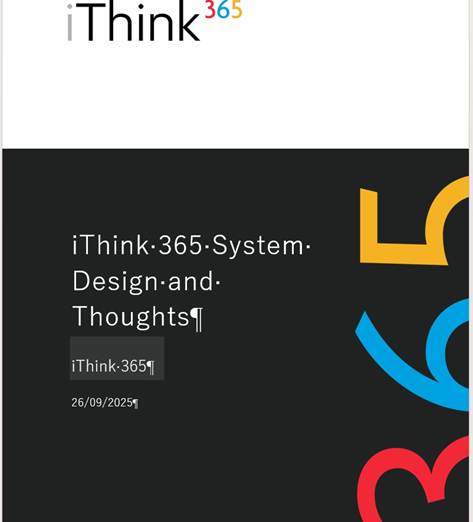
So why don’t we delve into what the template looks like and the process of creating this content?
To create the document, I simply have a meeting with myself and/or another member of the team, and we talk through the solution.
We talk through how we expect it to be built. We include what is being built and why. We talk about pitfalls and areas of concern. We really delve into the details so we can get as much information recorded in that meeting.
I then finish the meeting and run SmartFlo. This will create the document, which is then reviewed by me. I make any necessary updates, and then it’s ready to share with the team for feedback.
Here is an example of the output
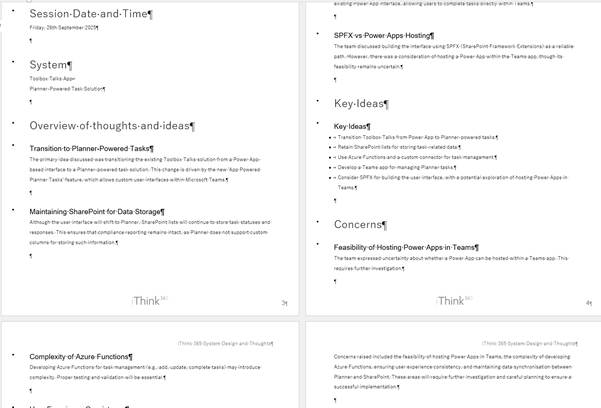
Over time of using this process, the template has been refined further to help pick out areas which need their own section. Such as authentication or what licenses are required.
SmartFlo has dramatically reduced the time taken to write these documents, but it has also helped to improve the quality and consistency of what is produced.
Now with SmartFlo, what used to take 90 -120 minutes to write now takes 20-30 minutes!
Creating the template
Creating the SmartFlo template is straightforward. We take our standard company-branded template and create some sections to record the key information.
You can see this below.
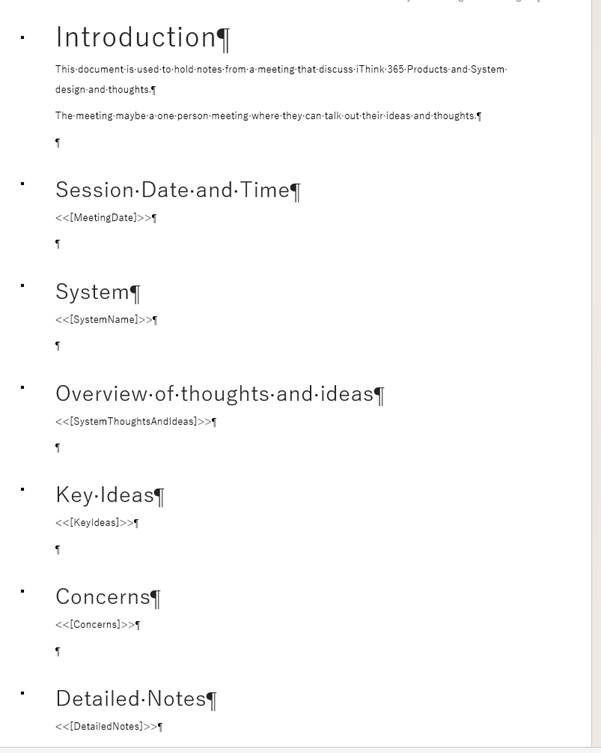
We upload the template into SmartFlo and then use the following to describe the template.
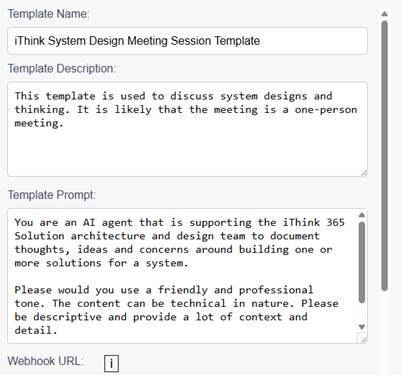
For each of the sections, we tell SmartFlo how to fill out the template.
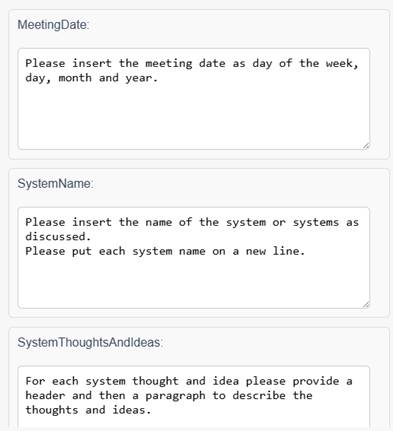
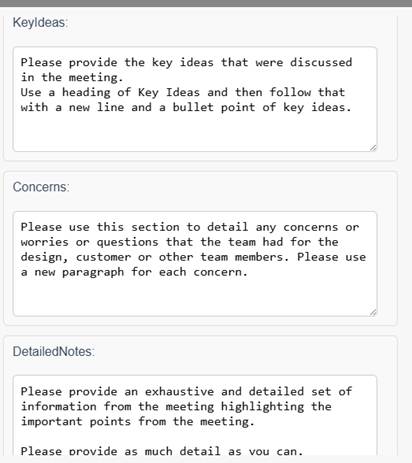
That is it, there is some good detail in the template and getting that right can take a couple of attempts, but it’s incredibly quick and easy to get one of these templates out.
What do you think?
I would love for you to benefit from tools such as this and improve how you get things done. To help, you can install and try out SmartFlo, by getting started and signing up for a 7-day trial.
Please let us know what you think!

 Doy's Microsoft 365 and Azure Dev Blog